Tool list
G-Code Creation: [Text] [Barcode] [Image] [Simple shapes] [Grafic tablet] [Jog path] [Extensions]
Workpiece: [Probing] [Height map]
Machine: [grbl setup] [Pen changer setup] [Coordinate systems] | [Laser tools] [Camera] [DIY Control] [Process automation]
back to [Menu]
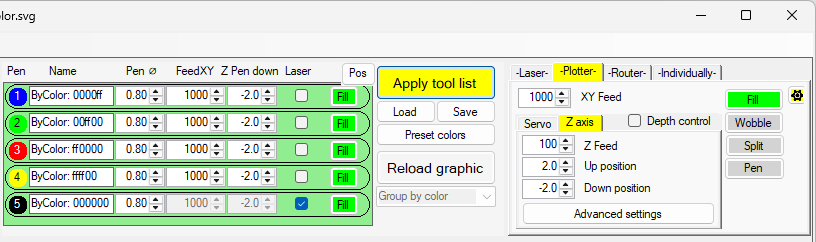
The tool list is connected to the device selection on the right. Only device relevant properties will be listed for the single tools.
After loading a graphic, all tools will be preset with the settings from the right side ("Apply tool list" disabled).
Only if "Apply tool list" is enabled, single tool properties can be changed.
Drag and and move single tool to change the order.
After any change, the graphic must be reloaded to take effect of the changes.
View after loading a graphic with selected device "Laser":
View after loading a graphic with selected device "Plotter", with servo selected:
View after loading a graphic with selected device "Plotter", with Z-axis selected:
View after loading a graphic with selected device "Router":